When the same client, project, vendor, or campaign name appears in many spreadsheet rows, linked records in spreadsheets are the cleaner fix. Use linked records for data you need to reuse and update once; keep simple statuses and labels as normal fields.
The practical move is to split the repeated noun into its own table, then link each working row back to that source record. Start with one workflow, not the whole workbook, so the structure earns its place. Use the split test, examples, and cleanup checklist before adding lookups or row actions. That keeps the article focused on usable records, not database theory.
What linked records mean in a spreadsheet
A linked record is a field that connects one row to a row in another table. A task can link to a project, a deal can link to a company, and a product can link to a vendor.
This is the spreadsheet-database version of a relationship. Airtable describes linked records as the way to create one-to-one, one-to-many, and many-to-many relationships inside a base: Airtable linked record relationships. Grist uses reference columns for the same idea, calling them similar to a foreign key in database terms and stronger than a plain VLOOKUP in spreadsheet terms: Grist reference columns.
The useful part is not the label. The useful part is that one source row becomes reusable. If a vendor name changes, you update the vendor record once. If a project has twelve tasks, those tasks point to the same project instead of copying the project name twelve times.
Why copied text breaks real workflows
Copied text feels harmless until the sheet becomes important. One client name becomes three spellings. One vendor address appears in old and new forms. One project status is updated in a project tab but not in the task rows.
Here is a small example dataset that shows what changes when repeated names become linked source records.
| Workflow | Repeated text values in rows | Linked source records |
|---|---|---|
| Project tasks to clients | 24 | 4 |
| Inventory products to vendors | 18 | 5 |
| Content items to campaigns | 12 | 3 |
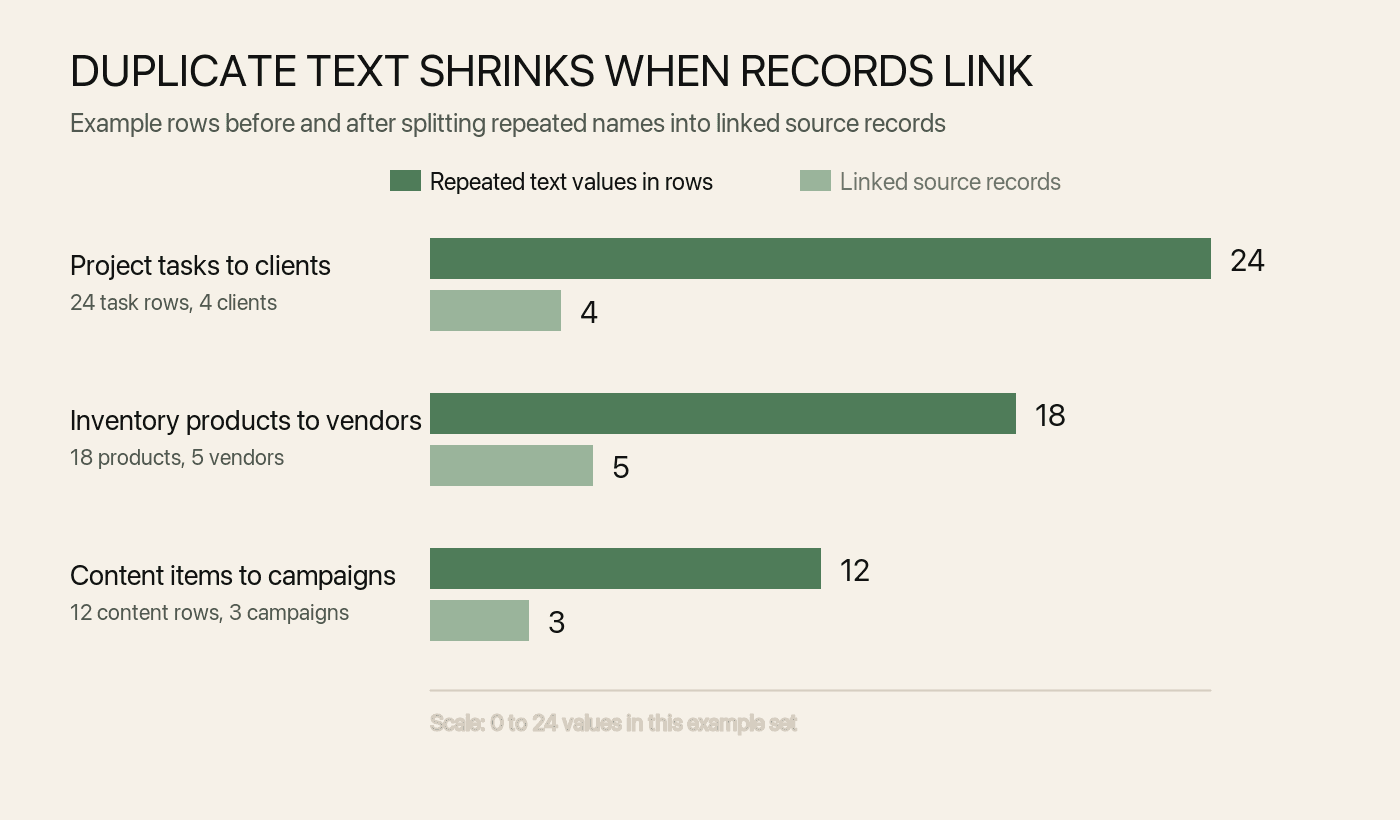
The numbers are simple, but the pattern is common. A flat sheet asks every working row to carry source information. A linked setup stores source information once and lets the working rows point to it.
When to split a sheet into linked records
Split a field into linked records when the value is an object you care about, not just a label.
| Repeated value | Keep as a normal field when | Make it a linked record when |
|---|---|---|
| Status | The values are fixed labels such as New, Active, Done | Each status needs owners, rules, or workflow notes |
| Client | You only need a name once | Multiple projects, invoices, contacts, or follow-ups point to the client |
| Company | It is just display text | Contacts, deals, activities, and research notes all need the same company |
| Vendor | The vendor appears in one product row | Products, purchase orders, locations, and lead times depend on the vendor |
| Campaign | The campaign is a tag | Content items, assets, approvals, and dates share campaign context |
The test is maintenance. If changing one value should update many rows, the value probably deserves a record. If the value is only a filter label, a select field is usually enough.
How to design linked records without overbuilding
Start with the working question, not the database diagram. A linked record should make the sheet easier to trust, not harder to maintain.
Name the real records first
Write the nouns before adding fields. A CRM may need Contacts, Companies, Deals, and Activities. A project tracker may need Projects, Tasks, People, and Milestones. An inventory list may need Products, Vendors, Locations, and Stock changes.
If a noun only appears once, keep it in the current table. Linked records are most useful when a record is reused across views, tables, and actions.
Choose the direction of the link
Put the link on the row where the work happens. Tasks should link to Projects. Products should link to Vendors. Content items should link to Campaigns.
Baserow's Link-to-table field docs use the same customer-and-order pattern: link each order to the customer record instead of retyping customer details on every order: Baserow Link-to-table field. The direction matters because it decides where people choose the related record during daily work.
Keep display fields readable
A link picker is only useful when the target record has a clear name. Use short display fields such as company name, project name, SKU, campaign name, or contact name.
Avoid display values that require context from three other fields. If two projects share a name, add a short qualifier such as client or date range.
Add lookups after the link is stable
A lookup shows information from the linked record. For example, a task can link to a project, then show the project's client and deadline. Baserow documents this sequence directly: create the link first, then use lookup or rollup fields from the linked records.
Add lookups only after the relationship is correct. If the link is wrong, the looked-up value will look official while pointing at the wrong source.
Examples for CRM, projects, and inventory
Linked records are easiest to understand through everyday spreadsheet jobs.
| Workflow | Link to create | What it prevents |
|---|---|---|
| Personal CRM | Contacts link to Companies, Deals, and Activities | Repeating company details and burying follow-up history in notes |
| Project tracker | Tasks link to Projects and People | Copying project names, owners, and client context into every task row |
| Inventory tracker | Products link to Vendors and Locations | Repeating vendor details and losing stock context across tabs |
| Content calendar | Content items link to Campaigns and Assets | Copying campaign goals and approval notes across every post |
For a full CRM setup, read Personal CRM for Mac. For a finished project workflow, read Turn Spreadsheet Into Project Tracker on Mac. For the broader category, read Spreadsheet Database for Mac.
Common mistakes with linked records
The easiest mistake is turning every repeated word into a table. Do not make High, Medium, and Low into records unless priority has its own owners, rules, or reporting.
The second mistake is linking before cleaning. If the sheet has "Acme", "ACME Inc", and "Acme Incorporated", clean the source list first. Linking messy text creates cleaner-looking errors.
The third mistake is using linked records to replace every formula. Excel can create relationships between tables in its Data Model for reporting and PivotTables: Microsoft Excel table relationships. That is useful for analysis, but it is a different job from running daily records in a working grid.
The fourth mistake is hiding the source table. If a company, vendor, project, or campaign becomes important enough to link, keep its source table easy to review.
How Macrows fits
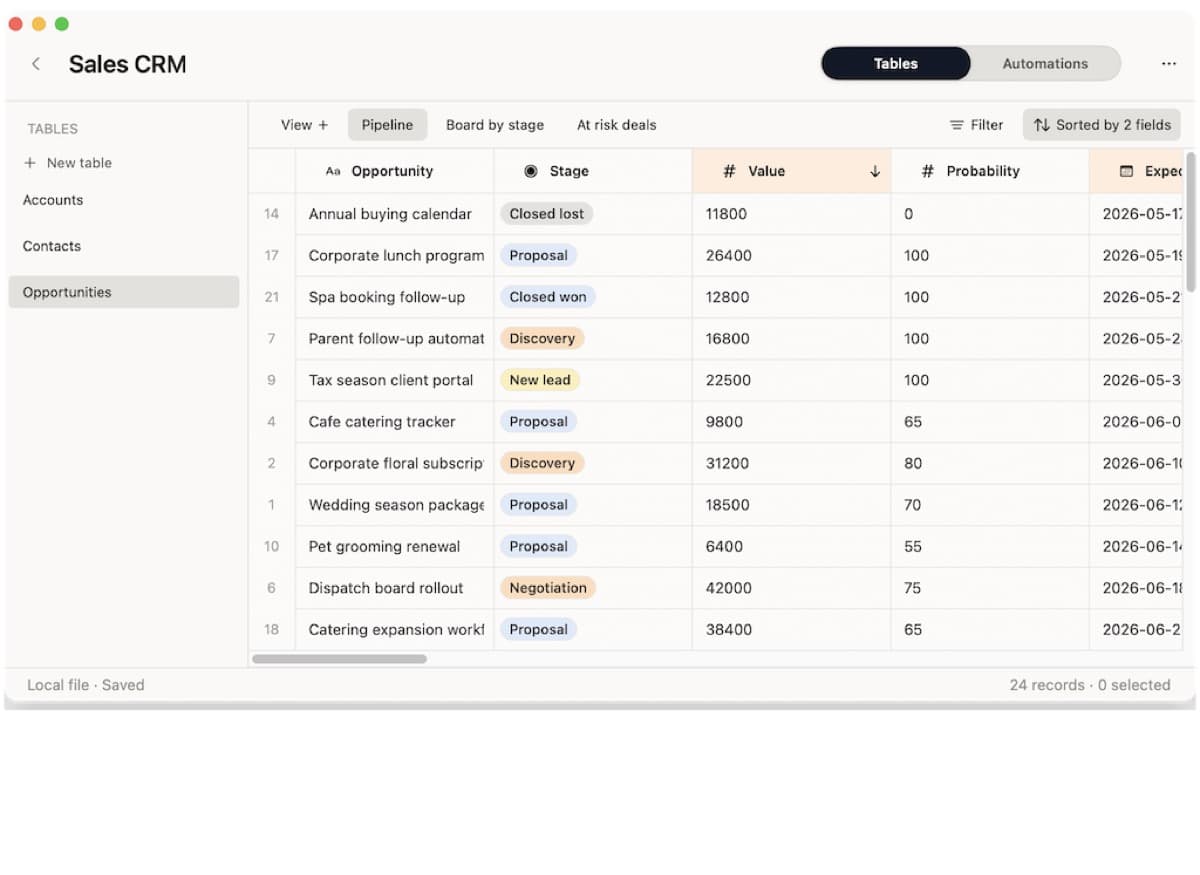
Macrows is a private spreadsheet database for Mac. It fits linked-record workflows when you want a familiar grid, multiple related tables, saved views, typed fields, formulas, buttons, and row actions in a native Mac app.
Use Macrows when the sheet started as local work and now needs relationships. Good candidates include a client list with activities, a project tracker with tasks, an inventory list with vendors, or a research database with sources and claims.
The current product model stores linked-record relationships as record IDs rather than display text. That matters because the visible name can change without turning the relationship into loose copied text.
When Macrows is not the right fit
Use Airtable when the base belongs in a shared browser workspace with collaboration, forms, interfaces, automations, and admin controls already in place: Airtable plans overview. Airtable is especially strong when several people need the same live database every day.
Use Google Sheets, Excel, or Numbers when the work is still a normal spreadsheet: quick lists, budgets, analysis, charts, financial models, or lightweight shared tracking. A linked-record tool is extra setup if the sheet does not have reusable records.
Use a SQL database or a developer tool when you need database administration, custom queries, application backends, or strict technical control. Linked records are for operators who need relational structure from a grid, not for replacing a database engine.
FAQ
What are linked records in spreadsheets?
Linked records are fields that connect one row to another record, usually in a different table. They help a spreadsheet behave more like a small relational database without losing table-style editing.
Are linked records the same as VLOOKUP?
No. VLOOKUP pulls a value from another range. A linked record stores the relationship itself, so the row can keep pointing at the same contact, company, project, vendor, or campaign.
When should I use linked records instead of copied text?
Use linked records when copied text represents a real object that appears in many places. Use normal text or select fields when the value is only a simple label.
Can Excel or Google Sheets do linked records?
Excel and Google Sheets can model relationships with formulas, lookups, table models, or connected data, but they are still spreadsheet-first tools. Use them when analysis or collaboration is the main job, and use a spreadsheet database when reusable records drive the workflow.
How does Macrows use linked records?
Macrows treats linked records as relationships between stable records, not just visible names in cells. That makes it a good fit when a Mac workflow needs contacts, companies, projects, vendors, sources, or campaigns connected across tables.